Core
Core is the base of Kitchon.
Updated November 17, 2026
What it does
Core is the base of Kitchon. It is always on and you cannot turn it off. It holds the pages every restaurant needs every day.
Turn it on
Core is always on. There is nothing to turn on.
Use it day to day
- Open Today for a quick view of sales so far, open orders and active alerts. You can also pause online ordering or turn an item off (86) there.
- Use Orders to see every order, accept or reject it, mark it ready, complete it, cancel it, refund it or reprint it.
- Edit your Menu, then publish it so tablets and your website show the latest version.
- Add Locations, Team members, Devices and Printing rules, and change Settings.
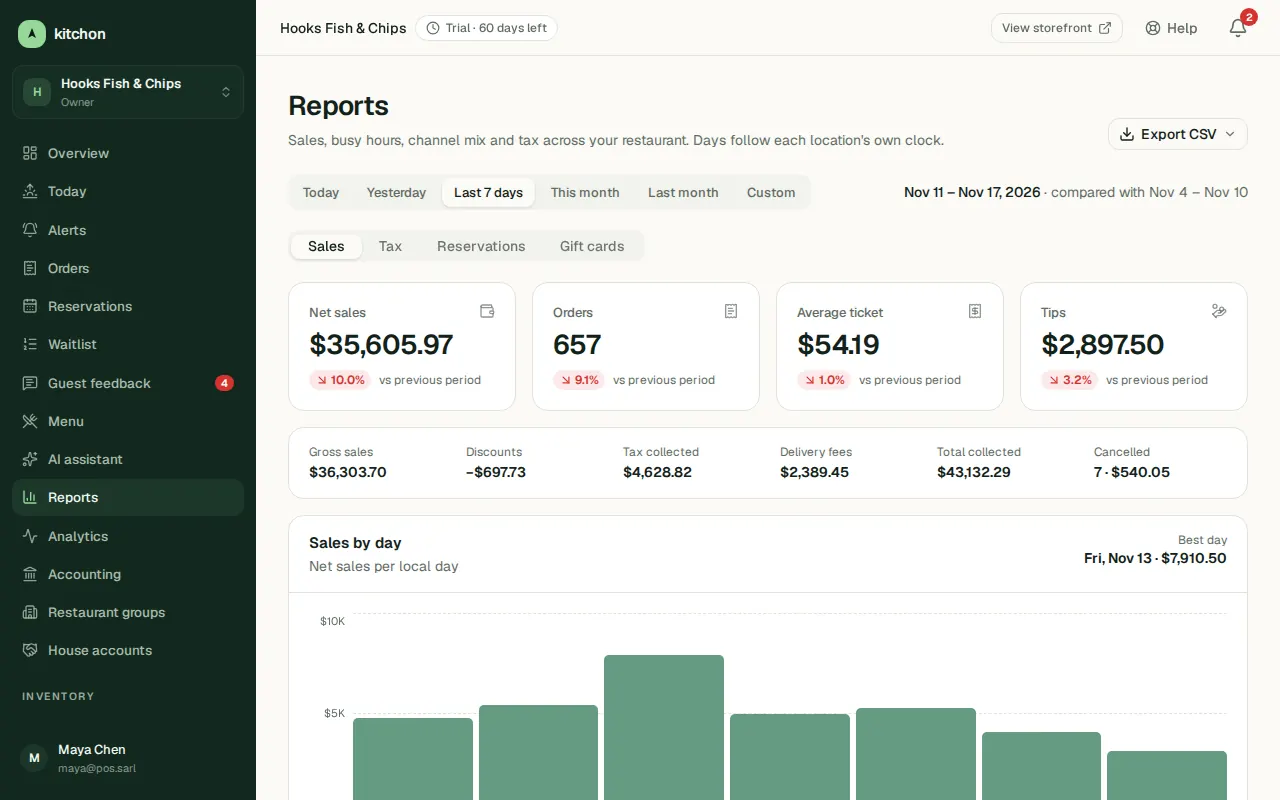
- Open Reports for the basics: Sales (sales by day, best sellers, channel mix and payments), Tax, and the Reservations and Gift cards tabs.
Common questions
Can I turn Core off?
No. Core is part of every plan. You can turn the other modules on and off.
Where do I start?
Follow the steps in Create your account and then Build and publish your menu.
Was this helpful?
Related articles
- Turn modules on and offUse the Modules page to choose what your restaurant uses.
- Alerts and push notificationsGet a notification on your phone for new orders and for problems, such as a printer that is offline.
- DaypartsShow different menus at breakfast, lunch and dinner, automatically.
- InventoryTrack ingredient stock, link recipes to menu items, count stock, order from suppliers and print daily prep lists.