Kitchen display
Kitchen screens show each ticket by station, with timers.
Updated November 17, 2026
What it does
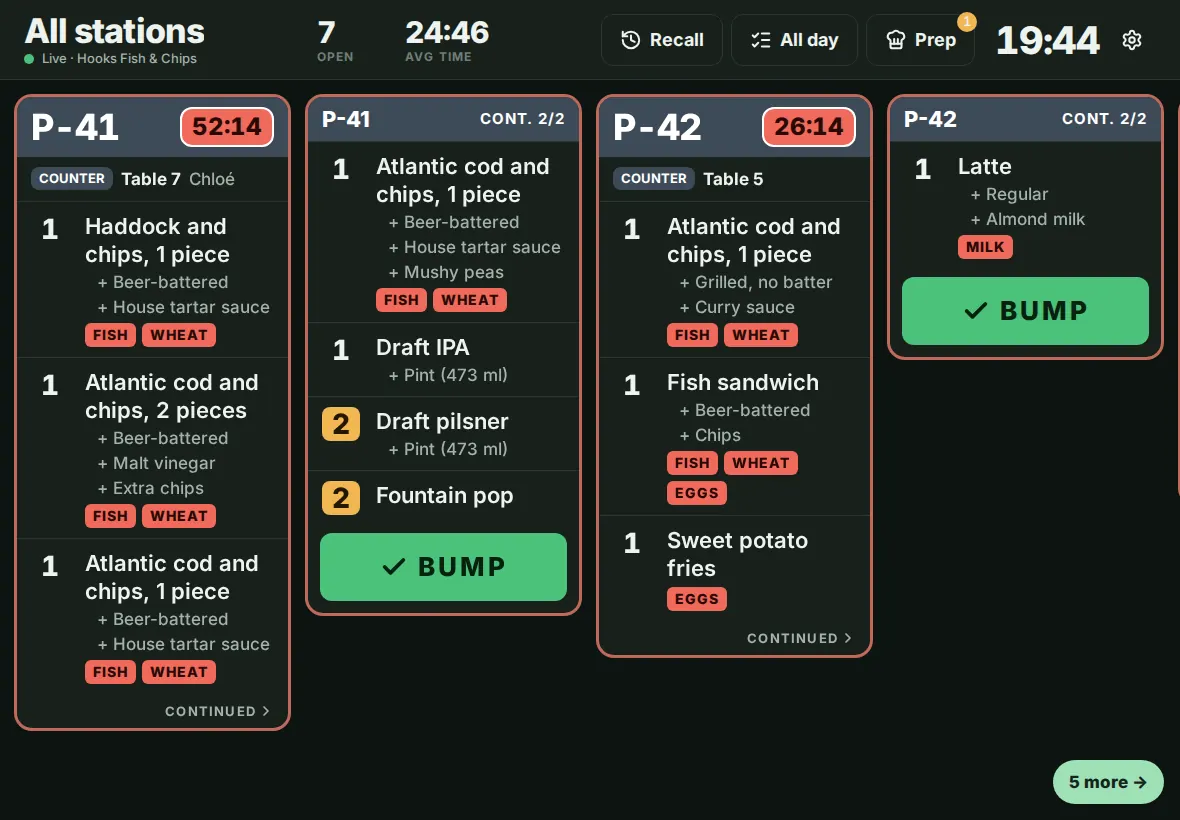
Kitchen screens show each ticket by station, with timers. Cooks tap to mark items done and the order moves along.
Turn it on
- Open Modules in the dashboard menu.
- Find Kitchen display in the list and switch it on.
If your plan does not include this module, its card has no switch. Click Request this module and our team will get back to you. See Turn modules on and off.
Use it day to day
- Pair a tablet and choose Kitchen display mode. Pick the stations it shows (Stations shown on this screen).
- Each ticket has a timer. It turns amber after 8 minutes and red after 12, then flashes after 15.
- Tap an item to cross it off. Press BUMP on the ticket when the order is ready. Recall brings back a bumped ticket, and All day totals what is open.
- Orders that are bumped show as ready on the Order hub.
Common questions
Do I still need a printer?
Not for the kitchen if every station has a screen. Many restaurants keep one printer for receipts.
Can one order show on two stations?
Yes. Each item goes to the station you set for it.